
Full Power in Docs™ & Sheets™
The sidebar in editors gives you the complete feature set: schedule generation, the AI Co-Pilot, validation (Sheets only), and detailed settings. This is your main scheduling hub.
Welcome to AI Shift Planner! You’re just a few steps away from generating optimized schedules directly from your notes. This guide will walk you through installing the add-on and creating your very first schedule.
Install from the Google Workspace Marketplace™
First, add AI Shift Planner to your Google™ account. This single installation makes it available across the Google Workspace apps you use every day, including Google Docs™, Sheets™, Gmail™, and Drive™.
Click the link above and follow the prompts. You’ll need to grant the necessary permissions for the add-on to function.
Launch the Add-on in Docs™ or Sheets™
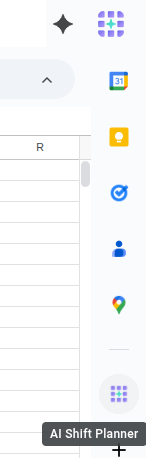
After installation, open a new Google Doc™ or Google Sheet™. Look for the AI Shift Planner icon in the vertical side panel on the right of your screen and click it to open the main sidebar.
Create Your Instructions with the AI Co-Pilot
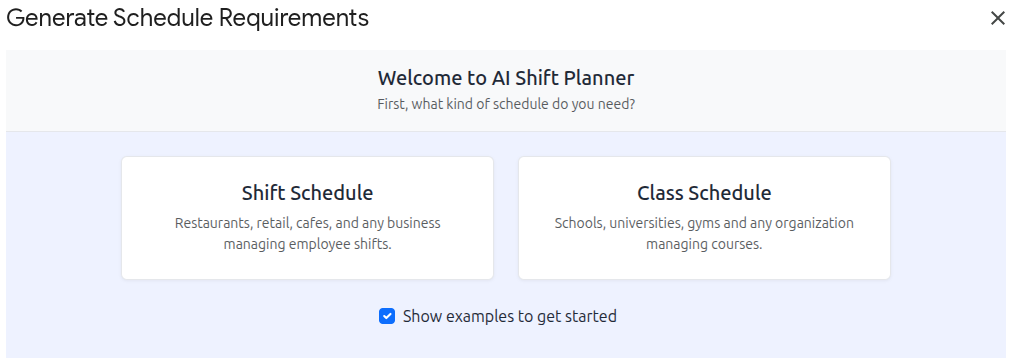
When you open the add-on in a blank document, the AI Co-Pilot will launch automatically. This is a guided wizard designed to help you write perfect scheduling instructions from scratch.
Generate Your Schedule
Once your instructions are in the document, click the big “Generate Schedule” button at the top of the sidebar. A Progress Modal will appear, showing you the AI’s analysis and generation status in real-time. When finished, it will display a preview of your completed schedule.
Write the Schedule to Your Document
From the result preview, click the primary action button (e.g., “Write to Sheet” or “Write to Document”). The add-on will automatically format and insert the complete schedule into your file.
Congratulations, you’ve created your first AI-powered schedule!
AI Shift Planner intelligently adapts its interface to where you are in Google Workspace.
Full Power in Docs™ & Sheets™
The sidebar in editors gives you the complete feature set: schedule generation, the AI Co-Pilot, validation (Sheets only), and detailed settings. This is your main scheduling hub.
Quick Generation on the Go
When opened from Gmail™ or Drive™, the add-on shows a simple card interface. This is perfect for quickly generating a schedule from an email without switching contexts.
Now that you’re set up, you’re ready to build your own schedules. Explore our detailed guides to unlock the full potential of AI Shift Planner.